Here’s a step-by-step guide on how to make manual repayments in your Unified Trading Account (UTA) on Bybit. For more information on how borrowings can occur, please visit here.
Step 1: Navigate to the Unified Trading Account page and click on Repay.
- To repay a single borrowed coin, click on the Repay button beside the column of the respective coin.
- To repay all borrowed coins, click on Repay All at the top of the Unified Trading page.
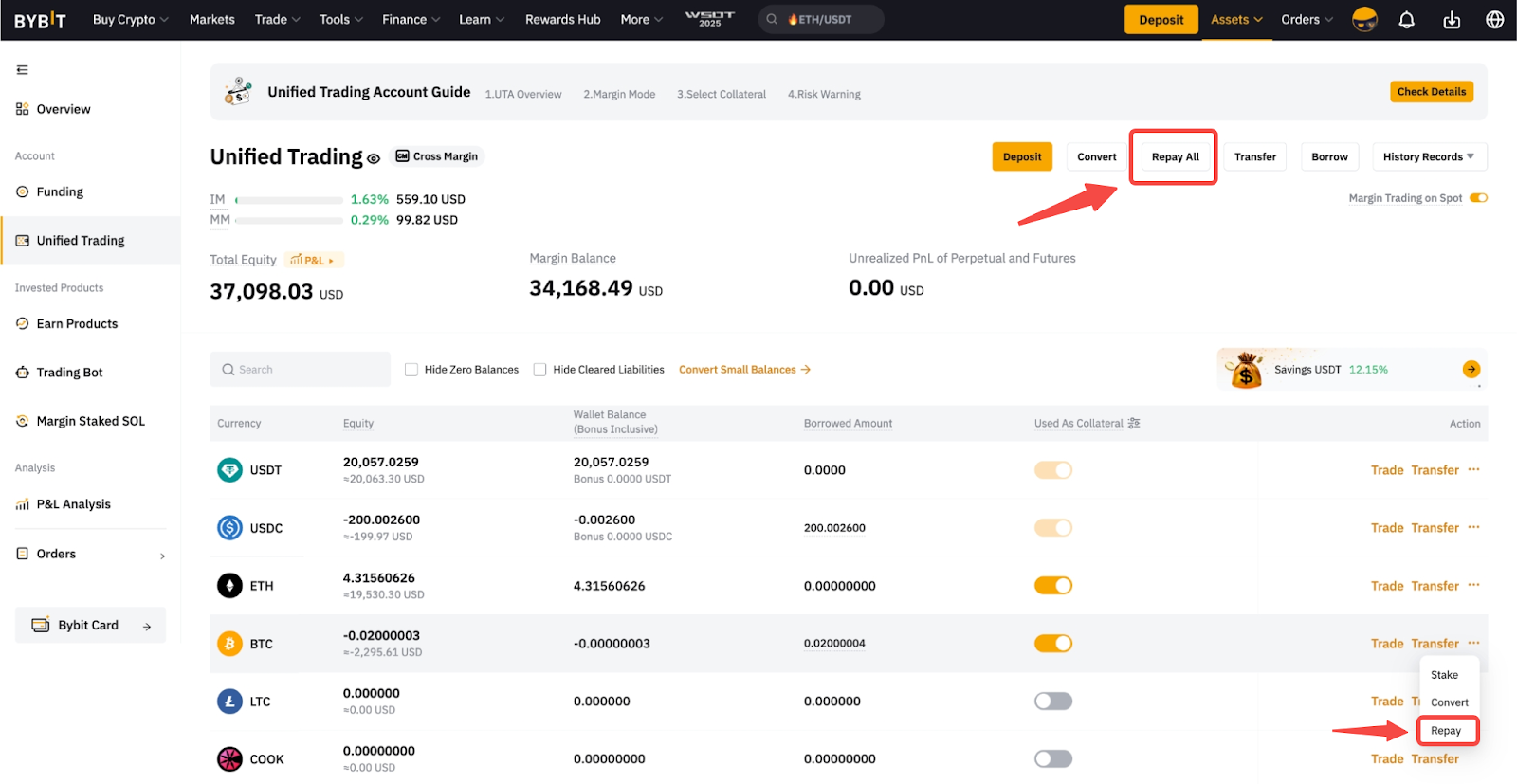
Note: The Repay button will not appear if you have no borrowed amount.
Alternatively, you can also access the Repay button from the Spot Margin trading page → Borrowings.

Step 2: You will be then redirected to the Repayment page accordingly.
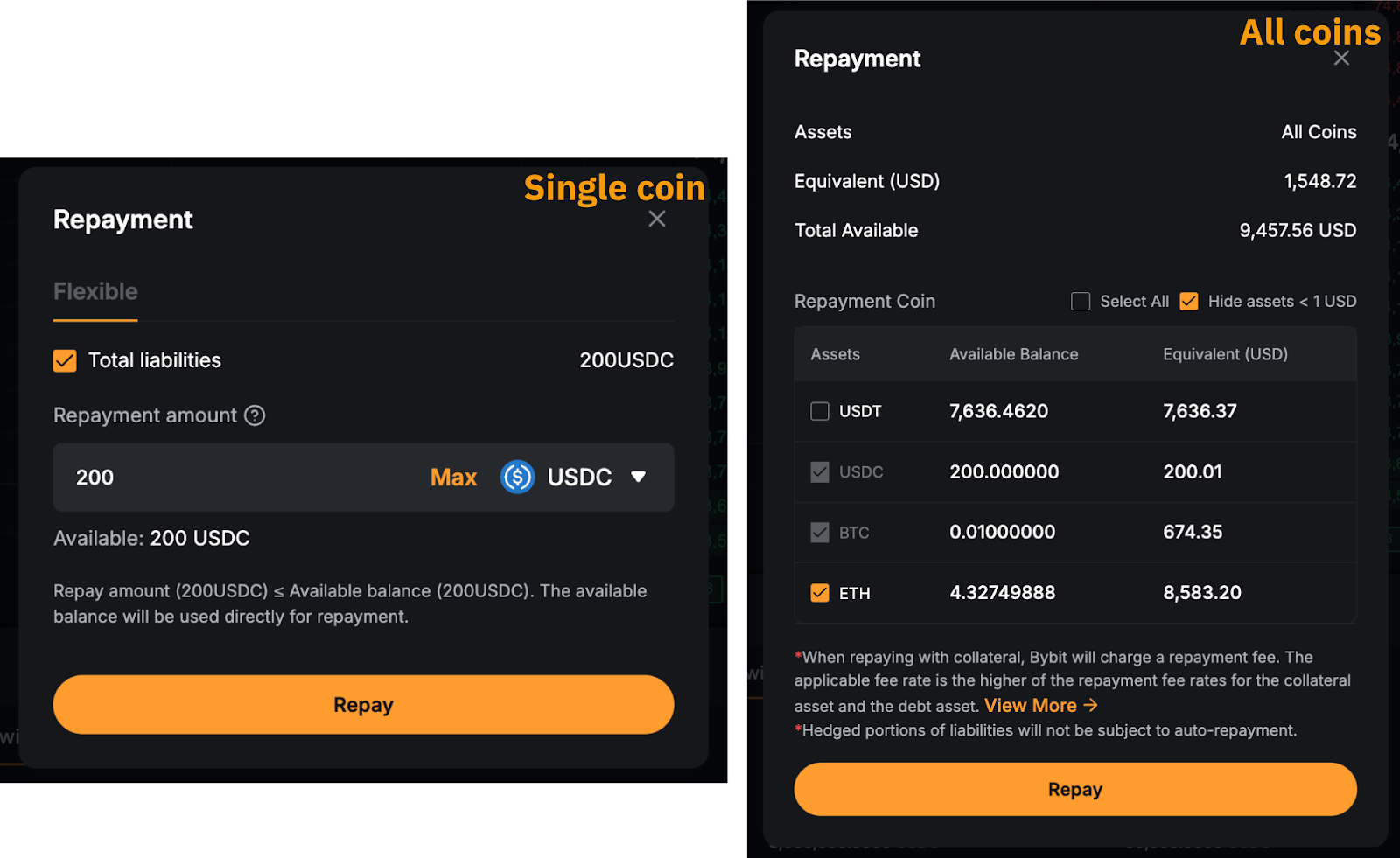
a. For a single-coin repayment, kindly enter the repayment amount, select the repayment coin(s), and tap on Repay to proceed. You can also tick the Total liabilities if you wish to repay all the outstanding liabilities for the selected coin.
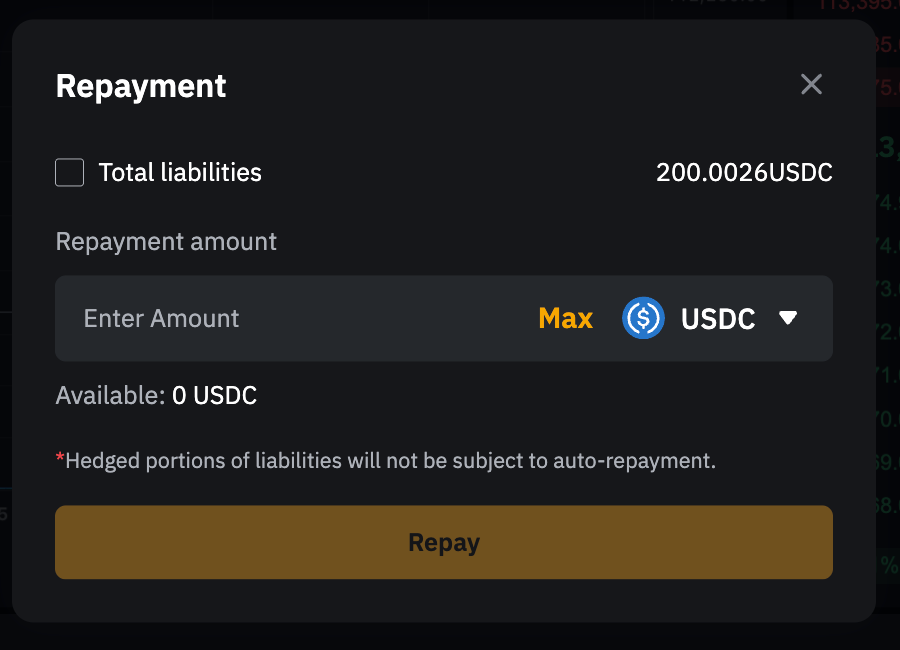
b. For a repayment of all coins, you can simply select the repayment coin(s) and tap on Repay to proceed.
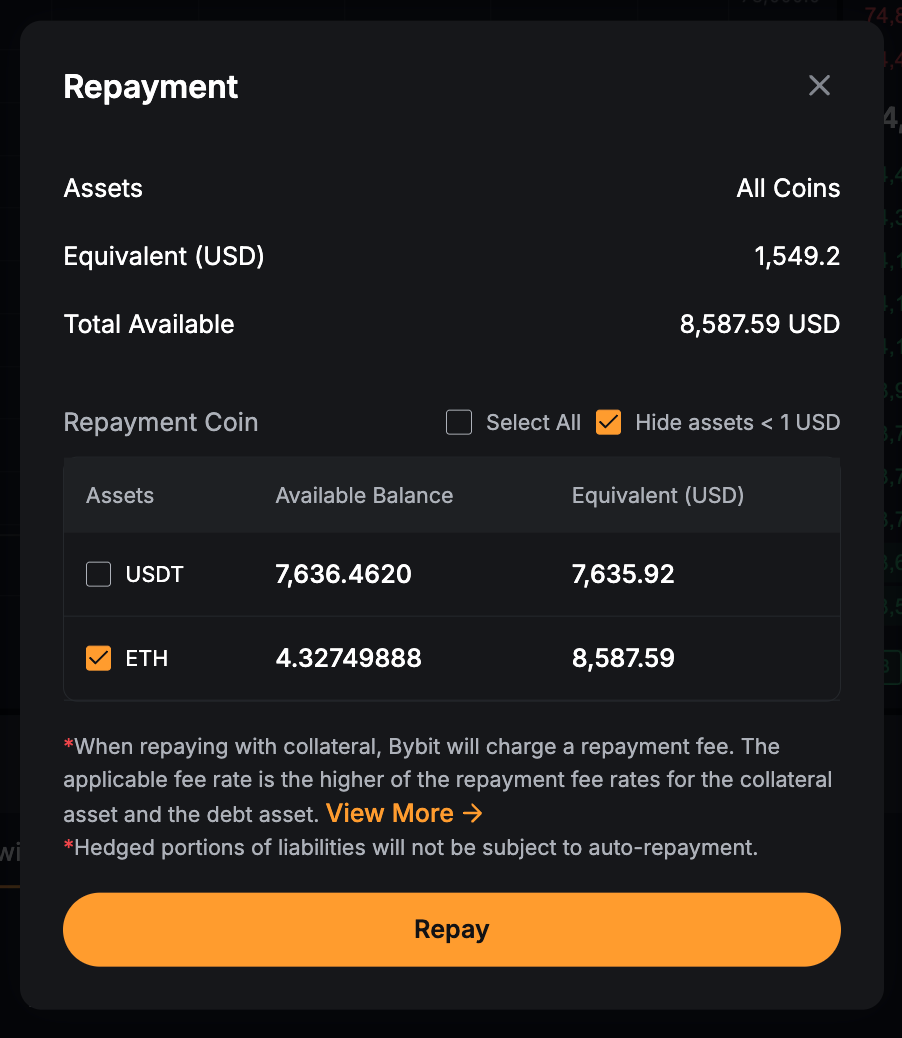
Note: If you have a borrowed coin in your available balance, the asset will be automatically selected for repayment.
Step 3: A Repayment Confirmation window will pop up. Check your repayment details and click on Confirm. Please be aware that due to market fluctuations, there may be slight variations in the actual repayment amount.
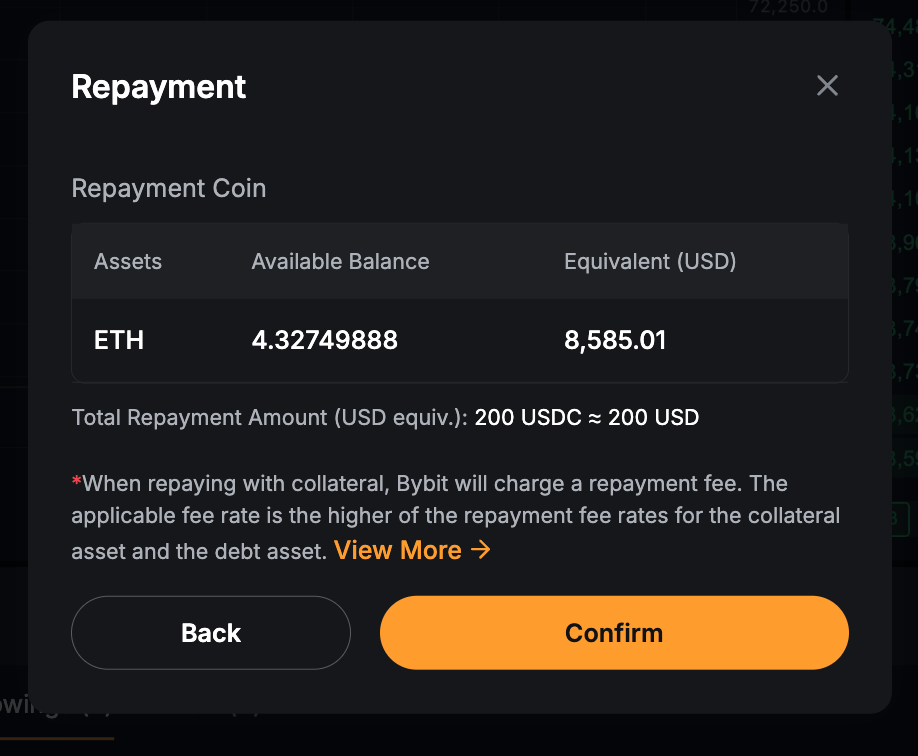
Upon confirmation, the system will use your available borrowed coin for repayment first. Any remaining liabilities will be repaid by converting collateral assets into the borrowed currency. If the repayment requires conversion, Bybit will charge a handling fee on the total repayment amount. The fee rate is the higher of the repayment fee rates for the collateral asset and the borrowed asset.
Notes:
— With the new Manual Borrow feature, the displayed borrowed amount in your UTA asset page now categorizes your borrowings into:
- Spot liabilities for Spot Margin trading;
- Derivatives liabilities for Perpetual, Futures, and Options trading.
This distinction affects how repayments are managed. For more information about the key changes in the UTA borrowing and repayment mechanism, please refer to the following article.
— Full, partial and mixed repayments (borrowed coin + conversion) are now supported. Please note, however, that any repayments done via asset transfer or spot trading (i.e., the selling of other margin assets into the borrowed coin) will only pay the outstanding amount from your derivatives liabilities. Any spot liabilities will remain and must be paid manually.
— Manual repayment will be temporarily unavailable from the 4th minute to the 5th minute and 30 seconds of each hour (e.g., 8:04 to 8:05:30, 9:04 to 9:05:30, and so on) while the system processes interest calculations.
— In cases where you have insufficient funds to cover the borrowed amount, you may consider checking for any active Spot or Spot Margin orders that can be canceled to release the frozen assets.
— If multiple repayment coins are selected, the system will auto-convert the repayment coins into the borrowed coin according to the liquidity order stated in the Margin Specifications.
Your repayment was successful! You can go to Transaction Log or Exchange History to check your repayment details.

View Your Repayment Details
Via Transaction Log
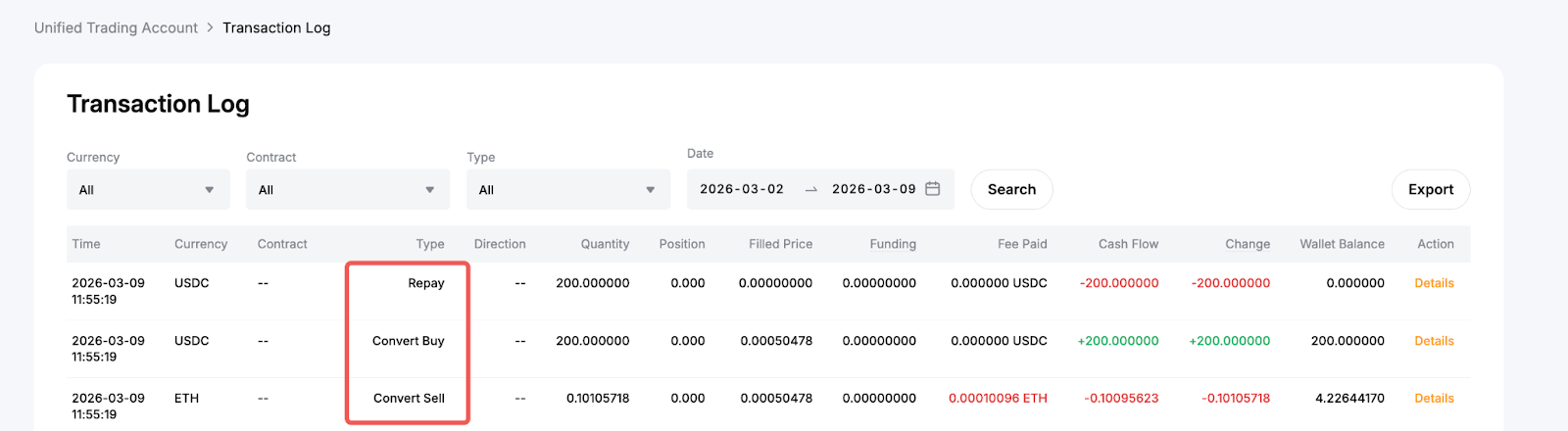
In your Transaction Log, you can find details for each repayment under the Convert and Repay transaction types—sequentially listed with identical timestamps and Order IDs. Convert transactions indicate any auto-conversions of selected collateralized assets to repay the borrowed amount. It will only appear if you have an insufficient borrowed coin in your balance for repayment, and conversions are necessary. Meanwhile, Repay transactions display the amount you have paid for your borrowed coin.
For example, you are using ETH to repay your USDC borrowed amount. In this case, you have converted ETH (repayment coin) in exchange for USDC (borrowed coin) to make a repayment.
Via Exchange History
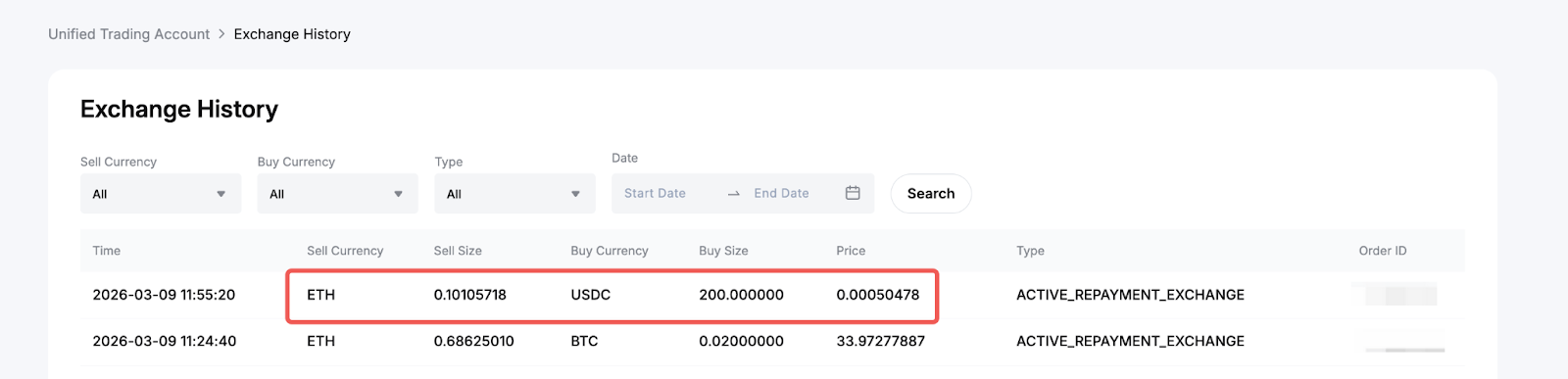
You can also access the conversion record in the Exchange History.